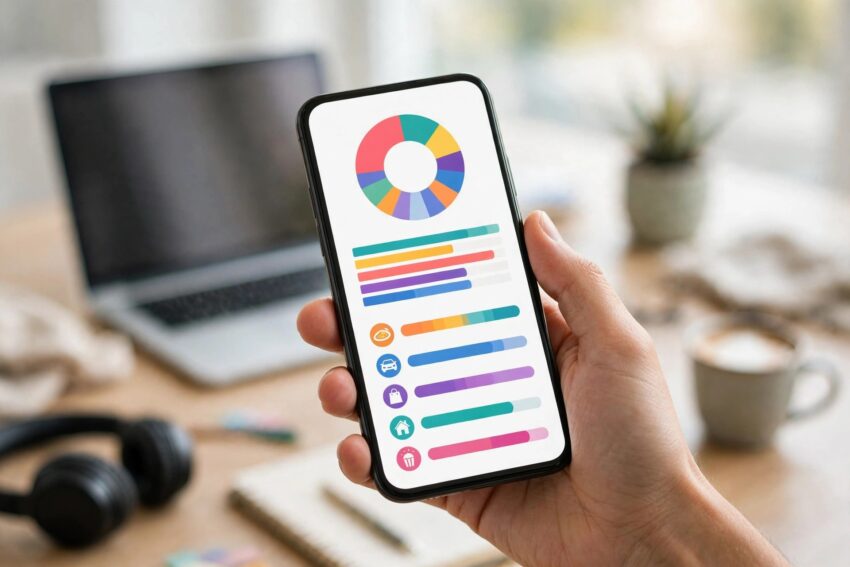
Most of us do not overspend because we are careless with money. We overspend because we never really see where the money goes. A coffee here, a food delivery there, a subscription that quietly renews every month — by the end of the month, the balance is lower than expected and nobody can say exactly why.
That is the problem a good budgeting app solves. It turns a vague feeling about money into a clear picture: what came in, what went out, and what is left. And in 2026 the choice is better than ever. Since Mint shut down in March 2024, a whole new generation of budgeting apps has matured, and the best of them work beautifully on both Android and iPhone.
This guide compares the best budgeting apps in 2026 to track spending on Android and iPhone, with honest prices, free options, and who each app actually suits. Prices change often, so treat the figures here as a guide and check the app’s own pricing page before you subscribe.
How to Pick a Budgeting App That You Will Actually Use
Before comparing apps, it helps to know what matters. The “best” app is not the one with the longest feature list. It is the one you will still open in three months.
Pick a method you can live with. Some apps use zero-based budgeting, where every dollar gets a job before the month starts. Others use the envelope method, dividing money into categories like groceries, transport, and fun. Simpler apps just show you what is safe to spend after bills and savings are covered. None of these is objectively better. The right one is the one that matches how your brain works.
Decide between automatic syncing and manual entry. Apps that connect to your bank sort your spending for you, which saves time but usually costs a subscription. Manual-entry apps are cheaper or free, and many people find that typing in each expense makes them more mindful. If you know you will not enter expenses by hand, do not buy a manual app.
Check the real price, not just the monthly figure. Almost every paid app looks cheaper when billed yearly. A $14.99 monthly plan and a $109 yearly plan are the same app at very different prices, so compare the annual cost before deciding.
Make sure it works on your phone. Every app in this list runs on both Android and iPhone, except Copilot, which is still strongest on Apple devices. If your household mixes Android and iPhone, that detail matters.
The Best Budgeting Apps in 2026 at a Glance
| App | Price in 2026 | Free option | Best for |
|---|---|---|---|
| YNAB | $14.99/month or $109/year | 34-day trial | Hands-on, zero-based budgeting |
| Monarch Money | $14.99/month or $99.99/year | 7-day trial | Couples and whole-household tracking |
| PocketGuard | $12.99/month, $74.99/year, or $149.99 lifetime | 7-day trial | Seeing what is safe to spend |
| EveryDollar | Free, or Premium $17.99/month or $79.99/year | Yes, manual entry | Simple zero-based budgeting |
| Goodbudget | Free, or Premium $10/month or $80/year | Yes, 20 envelopes | Digital envelope budgeting |
| Copilot | $13/month or $95/year | Free trial | iPhone and Mac users |
| Simplifi by Quicken | Around $2.99/month billed annually | 30-day guarantee | Low-cost automatic tracking |
1. YNAB — Best for Serious, Hands-On Budgeters
YNAB, short for You Need A Budget, has been around for more than twenty years, and it still sets the standard for zero-based budgeting. The idea is simple: give every dollar a job before you spend it. When payday arrives, you assign money to rent, groceries, transport, savings, and fun. When a category runs out, you move money from another category instead of pretending the overspend did not happen.
That discipline is exactly why its fans love it. People who stick with YNAB often say it changed how they think about money, not just how they track it. The app syncs with checking accounts, savings accounts, credit cards, and most loans, and it runs on iOS, Android, and the web.
The catch is the price and the effort. At $14.99 a month or $109 a year, it is one of the more expensive options, and there is no free tier — only a generous 34-day trial, with a free year for college students. It also asks more of you than a passive tracker. You need to check in regularly and make decisions. If that sounds like a chore, a simpler app will serve you better. But if you want a method rather than just a dashboard, YNAB is still the one to beat.
2. Monarch Money — Best for Couples and Whole-Household Tracking
Monarch Money is the app most former Mint users moved to, and that is no accident. It was co-founded by an early Mint product manager, so the experience feels familiar: all your accounts in one dashboard, spending sorted automatically, and a clear view of your net worth.
Where Monarch stands out is household use. It handles shared budgets well, so couples can see the same picture without awkward spreadsheet negotiations. You can set shared goals, track investments alongside everyday spending, and customise categories to match how your household actually lives.
Pricing is $14.99 a month or $99.99 a year, with a 7-day free trial and no free tier. That puts it in the same price range as YNAB, but the philosophy is different. YNAB makes you plan every dollar in advance. Monarch gives you a clear, flexible view of where the money is going and lets you adjust as you go. If you want a complete financial dashboard for the whole household, Monarch is a strong pick.
3. PocketGuard — Best for a Simple “Can I Spend This?” Answer
PocketGuard answers one question better than almost any other app: how much money do you actually have left to spend right now? It connects to your accounts, factors in your upcoming bills and savings goals, and shows you a single “In My Pocket” number — the amount that is safely yours to use.
That simplicity is the whole point. There are no complicated budgets to maintain and no long setup process. If your main problem is overspending on everyday things, seeing one clear number before you buy something can change the decision in the moment.
PocketGuard costs $12.99 a month, $74.99 a year, or $149.99 for lifetime access, with a 7-day trial. The paid Plus version adds debt payoff planning, transaction import and export, and custom categories. It works on iOS, Android, the web, and Apple Watch. It is not the app for someone who wants deep planning tools, but for stopping overspending, it is hard to beat.
4. EveryDollar — Best Free Zero-Based Budgeting
EveryDollar, from Ramsey Solutions, is built around the same zero-based idea as YNAB but with a much simpler design. You plan your month in advance, give every dollar a purpose, and track spending against the plan. It follows the Baby Steps philosophy that Dave Ramsey’s followers will already know.
The big attraction is the free version. You can build a full monthly budget with manual entry and never pay anything. The Premium plan, at $17.99 a month or $79.99 a year, adds automatic bank syncing, which is the main reason to upgrade. It runs on iOS, Android, and the web.
The trade-off is that the free version demands manual entry, and the app is deliberately simple — it does not try to be an investment tracker or a net-worth dashboard. For beginners who want a free, no-nonsense way to start budgeting, though, it is one of the easiest places to begin.
5. Goodbudget — Best for Envelope Budgeting
Goodbudget is the closest thing to old-fashioned cash envelopes in app form. You divide your money into virtual envelopes — groceries, transport, eating out, savings — and spend from each envelope until it is empty. When an envelope runs out, you know it immediately.
The free plan includes 20 envelopes, which is enough for most people to try the method properly. The Premium plan costs $10 a month or $80 a year and adds unlimited envelopes, bank syncing on some plans, and extra features. It works on iOS, Android, and the web, and you can share envelopes with a partner or family member.
Envelope budgeting suits people who like hard limits. It is less automatic than Monarch or PocketGuard, and the interface is plainer than its rivals, but the method itself is proven. If you have tried flexible budgets and kept overspending, fixed envelopes might be the structure that finally works.
6. Copilot — Best for iPhone and Mac Users
Copilot Money is the polished pick for Apple households. Built with a clean, modern design, it uses smart categorisation to sort your spending with very little manual work, and it presents everything in a dashboard that feels more like a well-designed app than a spreadsheet.
It costs $13 a month or $95 a year, with a free trial, and it runs on iPhone, iPad, Mac, and the web. Copilot launched on Android in 2024, but the experience is still noticeably better on Apple devices, so Android-first households should look elsewhere.
If you live in the Apple ecosystem and want a beautiful, mostly automatic tracker, Copilot is worth the trial. Just be honest about whether you will use its extra intelligence features, or whether a cheaper app would do the same job.
7. Simplifi by Quicken — Best Low-Cost Automatic Tracking
Simplifi by Quicken is the budget-friendly option among the automatic trackers. At around $2.99 a month billed annually, it costs far less than YNAB or Monarch while still connecting to your bank accounts, sorting spending, and tracking subscriptions.
It is a good middle ground: more automatic than EveryDollar’s free plan, much cheaper than the premium dashboards, and easy enough for someone setting up their first budget. The main drawback is that it is less specialised. It does not teach a method the way YNAB does, and it is not as strong for couples as Monarch. But for straightforward tracking at a low price, it is genuinely good value.
Free vs Paid: Do You Need to Pay for a Budgeting App?
Not necessarily. EveryDollar and Goodbudget both offer usable free plans, and they are genuinely good enough to run a real budget. The free versions ask for manual entry, which takes a few minutes a week and, for many people, actually improves awareness of spending.
Paid apps earn their subscription in two ways: automatic bank syncing, which saves time, and deeper features like investment tracking, debt payoff plans, or shared household budgets. If you have a complex financial life, a paid app can be worth it. If your finances are simple — one salary, a few regular bills, everyday spending — a free app may be all you need.
A practical approach is to start free. Run EveryDollar or Goodbudget for a month. If manual entry feels like a burden, you have learned something useful: automatic syncing is worth paying for. Then try a paid app’s trial and compare. Never pay for a year upfront until you have used the app for at least a few weeks.
How to Actually Stick With a Budgeting App
Downloading an app is easy. Using it in February is the hard part. A few habits make the difference.
Check it for two minutes a day. Open the app with your morning coffee and glance at yesterday’s spending. That tiny habit keeps the budget current and stops a pile of uncategorised transactions building up.
Keep the categories simple. Ten clear categories you understand beat thirty precise ones you never maintain. Start with rent, bills, groceries, transport, eating out, fun, and savings, then add more only if you need them.
Review once a month, not once a week. A weekly review feels like a chore. A monthly review, ideally on payday, is where you spot patterns: the subscription you forgot, the delivery habit that crept up, the category that is always over.
Protect your login. A budgeting app connects to your financial life, so use a strong, unique password and turn on two-factor authentication. If you are not sure your passwords are in good shape, read our guide to the best password manager apps in 2026 before linking any bank account.
Be patient with the first month. The first month is always messy. Categories will be wrong, old subscriptions will surface, and the numbers may surprise you. That is normal. A budget is a tool for learning about your money, not a test you pass or fail.
Frequently Asked Questions
What is the best budgeting app in 2026?
There is no single best app for everyone. YNAB is best for hands-on, zero-based budgeting, Monarch Money is best for couples and whole-household tracking, and PocketGuard is best for a simple view of what is safe to spend. If you want a free option, EveryDollar and Goodbudget are the strongest choices.
Are budgeting apps safe to connect to my bank?
Reputable budgeting apps use bank-level encryption and connect through secure services that read your transactions without storing your bank login. Stick to well-known apps, use a strong unique password, and enable two-factor authentication wherever it is offered.
Is there a good free budgeting app?
Yes. EveryDollar offers a free plan with manual entry, and Goodbudget’s free plan includes 20 envelopes. Both are genuinely usable for a real monthly budget. You only need a paid plan if you want automatic bank syncing or extra features.
Do budgeting apps work on both Android and iPhone?
Almost all of them do. YNAB, Monarch, PocketGuard, EveryDollar, Goodbudget, and Simplifi all run on Android and iPhone. Copilot is the exception: it works best on iPhone, iPad, and Mac. If your phone runs Android, you may also like our guide on how to make your Android battery last longer to keep your budgeting app running smoothly all day.
How much does YNAB cost in 2026?
YNAB costs $14.99 a month or $109 a year, with a 34-day free trial and a free year for college students. There is no free tier beyond the trial, so try it properly during the trial before deciding.
What happened to Mint?
Intuit shut Mint down in March 2024 and pointed users toward Credit Karma, which lacks most of Mint’s budgeting features. That is why most of the best budgeting apps in 2026 are paid: the main free automatic option is gone, and the apps that replaced it charge a subscription.
The Bottom Line
The best budgeting app in 2026 is the one you will still be using in three months. For most people, that means starting simple: try a free plan first, see whether you prefer planning every dollar or just watching what is safe to spend, and only pay for automatic syncing once you know it saves you real time.
YNAB suits disciplined planners, Monarch suits households, PocketGuard suits anyone who overspends, and EveryDollar or Goodbudget suit anyone who wants to start free. Pick one, use the trial honestly, and give it a full month before judging it.
And remember, the app is only a tool. The real change comes from the two-minute daily check and the monthly review. Do those, and almost any of these apps will help you see your money clearly — which is the whole point. If your Android phone is running low on space from all these new apps, our guide on how to free up storage on Android without deleting your photos can help.
Disclaimer: This article is for general information only and is not financial advice. App prices and features change over time, so please check the app’s official website before subscribing. If you need personal financial advice, consider speaking to a qualified financial adviser.