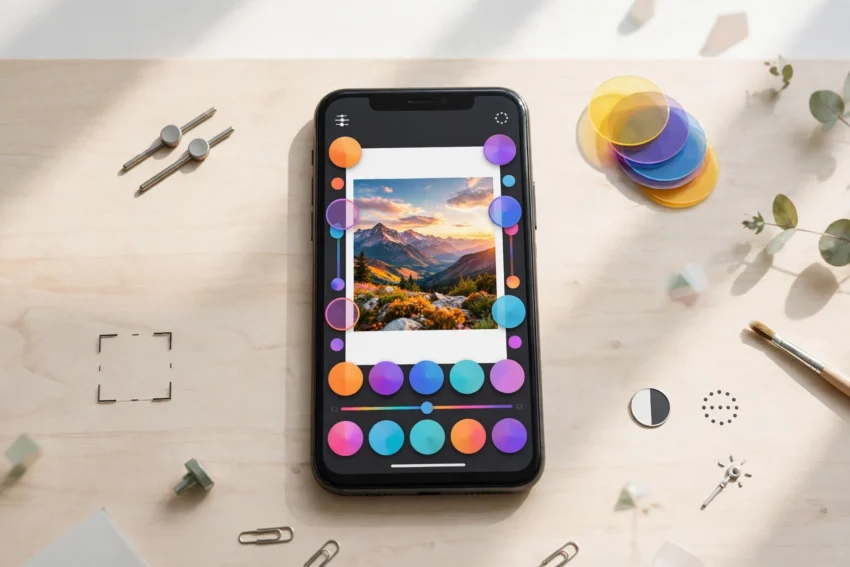
Almost every photo we take today passes through an editing app before it is shared. A quick crop, a little more light, a warmer tone — small changes can turn an ordinary snapshot into a picture worth keeping. The good news is that you no longer need a computer or expensive software to do it. The best photo editing apps 2026 offers for Android and iPhone now pack professional tools into free or low-cost apps that anyone can learn in an afternoon.
In this guide we compare the most popular photo editors of the year. Some are completely free, some offer a free version with optional paid features, and a few are built for serious photographers. By the end, you will know exactly which app fits the way you take and share photos.
How We Picked These Apps
We looked at apps that are easy to use, work well on both Android and iPhone, and are still actively updated in 2026. Every app below can handle the basics — cropping, brightness, colour and filters — but each one has a strength that makes it worth installing. We also checked whether the free version is genuinely useful, because nobody wants an app that locks every good feature behind a paywall.
1. Snapseed — Best Free All-Round Editor
Snapseed, made by Google, remains the strongest completely free photo editor you can install. There are no ads, no subscriptions and no watermark, which is rare in 2026.
Its standout tools include selective adjustments, where you can brighten just one part of a photo, and a healing tool that removes small unwanted objects. The “Tune Image” controls let you adjust ambience, highlights and shadows with a simple swipe, and the app saves your favourite edits as a preset you can reuse on other photos.
Snapseed is ideal if you want powerful editing without paying anything. The only real downside is that its filter collection is smaller than some rivals, and it does not include the trendy AI effects that newer apps advertise. For everyday photos, though, it is hard to beat.
2. Adobe Lightroom — Best for Serious Photographers
Adobe Lightroom is the mobile version of the desktop tool professionals have used for years. The free version covers the essentials: exposure, colour, cropping, straightening and a good set of presets. The paid version adds selective masking, healing, cloud sync and the ability to edit RAW files properly.
Lightroom’s real strength is control. You can adjust individual colours, recover detail from bright skies, and use geometry tools to fix tilted buildings. Its preset system also lets you copy a look from one photo to another in seconds, which is a huge time saver if you edit a lot of pictures.
If you shoot in RAW or you care about consistent colours across your photos, Lightroom is the app to learn. Beginners may find it a little dense at first, but the free version is a good place to start.
3. Picsart — Best for Creative Edits and Social Media
Picsart is less of a traditional editor and more of a creative studio. Alongside the usual adjustments, it offers stickers, text tools, collage layouts, background removal and a large library of filters and effects.
It is the best pick if you make content for Instagram, TikTok or WhatsApp status and want your pictures to stand out. The background remover works surprisingly well, and the collage maker is one of the easiest on mobile.
The free version is usable, but many of the best stickers, fonts and effects need the Gold subscription. If you mainly want clean, natural-looking photos, a simpler editor may suit you better.
4. Canva — Best for Designs, Not Just Photos
Canva is best known as a design app, but its photo editor has become genuinely good. You can adjust brightness and colour, remove backgrounds, apply filters and then drop the photo straight into a poster, story or thumbnail template.
This makes Canva the right choice if your photos usually end up inside something else — a social media post, a birthday card, a YouTube thumbnail or a small business flyer. The huge template library means you rarely start from a blank screen.
Canva is not the best app for detailed photo correction. For fine control over colour and detail, pair it with Snapseed or Lightroom and use Canva for the final design.
5. VSCO — Best for Film-Like Filters
VSCO built its reputation on beautiful, film-inspired presets. Instead of the heavy, oversaturated filters found in many apps, VSCO’s presets give photos a softer, more natural look that suits portraits and travel pictures.
The free version includes a small set of presets and the basic editing tools. The paid membership unlocks the full preset library, advanced tools such as HSL colour controls, and a video editor. VSCO also has a small community where photographers share their work, which is a nice source of ideas if you are learning.
Choose VSCO if you like a consistent, calm look across your photos and you are happy to pay a small subscription for the full preset collection.
6. TouchRetouch — Best for Removing Unwanted Objects
TouchRetouch does one job and does it very well: removing things from photos. A stranger in the background, a power line across the sky, a stain on a wall — you brush over it and the app fills in the gap convincingly.
Most editors include a basic healing tool, but TouchRetouch is noticeably better at larger objects and lines. It is a paid app with no subscription, so you buy it once and keep it. It works best as a companion app: clean up the photo here, then finish the edit in your main editor.
7. Remini — Best for Fixing Old and Blurry Photos
Remini uses AI to sharpen old, blurry or low-resolution photos. It can rescue childhood pictures, scanned prints and screenshots that would otherwise stay soft and noisy.
The results are impressive on faces in particular, though the free version limits how many photos you can enhance each day and adds a watermark on some exports. It is a specialist tool rather than a daily editor, but for restoring family photos it is worth keeping on your phone.
Free vs Paid: What Should You Pay For?
For most people, the free versions of Snapseed and Lightroom cover everything needed day to day. A paid plan only makes sense when you use a specific feature regularly — Lightroom’s cloud sync and masking, Picsart’s sticker library, or VSCO’s full preset set.
Before paying, try the free version for a week and check whether you actually hit its limits. Many people pay for features they never use. And remember that a good editor cannot fix a badly taken photo: clean your lens, tap to focus, and take the shot in good light first.
Quick Comparison
Snapseed is free with no ads and suits everyday editing. Lightroom is free to start and best for detailed control and RAW photos. Picsart suits creative social media posts. Canva suits photos that become designs. VSCO suits film-style filters. TouchRetouch suits object removal, and Remini suits restoring old photos. Most people only need two of these: one main editor and one specialist.
How to Choose the Right App for You
Start with what you photograph most. If you take family and travel photos, Snapseed plus VSCO is a great free combination. If you photograph products or food for a small business, Lightroom’s colour control and Canva’s templates are a strong pair. If you create a lot of social media content, Picsart will save you time.
Also think about storage. Editing apps keep copies of your photos, and edited versions add up. Keep your phone tidy with a cloud backup so you can free up space safely — our guide to the best free cloud storage apps in 2026 shows the best options. And if you ever delete a photo by accident, read our guide on how to recover deleted photos on Android and iPhone before it is gone for good.
If you enjoy trying new AI-powered tools, you may also like our roundup of the best AI apps in 2026, several of which include photo features of their own.
Tips for Better Edits
First, edit with a light hand. Small adjustments usually look better than heavy filters. Second, always keep the original photo — most apps let you save a copy, so you can start again if an edit goes wrong. Third, check your edit on full brightness, because a photo that looks fine on a dim screen can look very different outdoors. Finally, crop before you filter: removing distractions first makes every later adjustment easier.
Frequently Asked Questions
What is the best free photo editing app in 2026?
Snapseed is the best completely free photo editor for most people. It has no ads, no subscription and no watermark, and it includes professional tools like selective adjustments and healing.
Is Lightroom free on mobile?
Yes, Lightroom mobile has a useful free version with exposure, colour, cropping and presets. The paid plan adds selective masking, healing, RAW editing and cloud sync across devices.
Which photo editing app is best for Instagram?
Picsart is best for Instagram-style posts because of its stickers, text tools, background remover and collage maker. For a cleaner, more natural look, VSCO’s film presets are a better fit.
Can photo editing apps remove people from photos?
Yes. Snapseed and Lightroom include healing tools for small objects, while TouchRetouch is the best dedicated app for removing larger objects and people from the background.
Do these apps work on both Android and iPhone?
All seven apps in this guide are available on both Android and iPhone, and your edits and presets generally transfer if you switch phones and sign in with the same account.
Conclusion
The best photo editing apps 2026 has to offer prove that you do not need a computer to edit photos well. Snapseed remains the best free choice, Lightroom is the pick for serious photographers, and Picsart, Canva, VSCO, TouchRetouch and Remini each cover a different need. Install one main editor, add a specialist app only if you need it, and spend your time taking better photos rather than collecting apps. Your gallery will thank you.