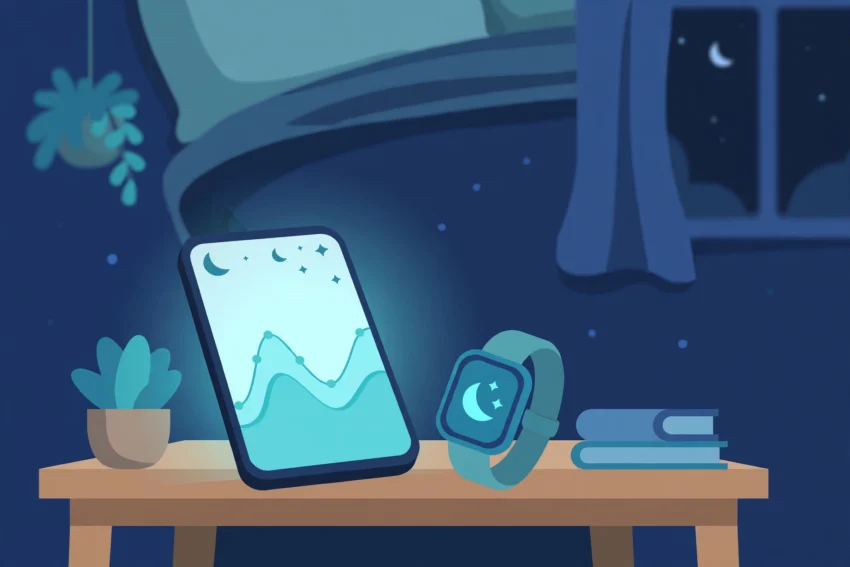
You wake up tired even after eight hours in bed. Or you fall asleep fine but keep waking up at 3 am. Most of us guess at how we sleep, and guessing is a poor way to fix a problem. That is where a sleep tracking app earns its place on your phone.
A good sleep tracker records when you fall asleep, how long you stay asleep, and how often you wake up. The better ones also listen for snoring, track your sleep stages, and wake you gently during a light sleep phase instead of jolting you awake mid-dream. None of them can replace a doctor if you have a real sleep problem, but for most people they turn a vague feeling of “I slept badly” into actual numbers you can work with.
We tested and compared the most popular sleep tracking apps available in 2026 for Android and iPhone. Here are the ones worth your time, what each does best, and which one fits your phone and your habits.
What to Look for in a Sleep Tracking App
Before you download anything, it helps to know what separates a good tracker from a gimmick.
First, check how it tracks your sleep. Some apps use only your phone’s microphone and motion sensors, placed on your mattress or bedside table. Others connect to a smartwatch or fitness band, which usually gives more accurate heart rate and movement data. Watch-based tracking is generally more reliable, but phone-only tracking is good enough to spot patterns.
Second, look at the alarm. A smart alarm wakes you during a window of light sleep, usually 30 minutes before your set time, so you wake up feeling less groggy. It is a small feature that makes a real difference on dark winter mornings.
Third, check what happens to your data. Sleep data is personal. Pick an app that stores data on your device or explains clearly how it handles cloud sync, and avoid apps that ask for permissions they clearly do not need.
Finally, be realistic about price. Most sleep apps are free to try with a subscription for full features, typically a few dollars a month. The free versions are often enough to tell whether the app suits you, so try before you pay.
1. Sleep Cycle — Best Overall
Sleep Cycle is the best-known sleep tracker, and it has stayed popular for a reason. It uses your phone’s microphone and accelerometer to follow your sleep patterns, then wakes you with a gentle alarm inside a window you choose. You do not need a watch or any extra hardware, which makes it the easiest app on this list to start with.
Its sleep graphs are clear and easy to read. Each morning you get a sleep score, a timeline of your night, and notes on snoring or talking in your sleep. Over weeks, the trends view shows whether you are sleeping longer, going to bed later, or waking up more often, which is exactly the kind of pattern that helps you change a habit.
The free version covers basic tracking and the smart alarm. The premium version adds long-term trends, snore detection history, and a wider choice of alarm sounds. Sleep Cycle works on both Android and iPhone, and it also connects to Apple Watch if you own one.
2. Sleep as Android — Best for Android Users
If you use an Android phone, Sleep as Android is the most powerful option available. It has been around for years and it does almost everything: sleep tracking, smart alarms, snore detection, sleep talk recording, and even a feature that warns you if it detects possible signs of sleep apnoea and suggests you talk to a doctor.
Its big strength is flexibility. You can track with the phone alone, pair it with a Wear OS watch, a Fitbit, or a Garmin device, and customise almost every setting. It also includes a gentle alarm that can use vibration, a sunrise-style screen brightening, and a captcha task if you are the kind of person who switches alarms off in their sleep.
The interface looks dated compared with newer apps, and the number of settings can feel overwhelming at first. But if you want control and you are on Android, nothing else on this list matches it. There is a free trial, and a one-time purchase unlocks the full version.
3. Pillow — Best for iPhone and Apple Watch
Pillow is built for the Apple ecosystem, and it shows. On its own it tracks sleep using your iPhone, but paired with an Apple Watch it becomes one of the most detailed trackers available, recording heart rate, sleep stages, and even blood oxygen trends where the watch supports it.
The app presents your night as a clean timeline with deep, light, and REM stages, and it syncs everything into Apple Health, so your sleep data sits next to your activity and heart data in one place. The alarm is gentle and can be set to wake you in your lightest sleep phase, and there is a “power nap” mode with a short timer for afternoon rests.
Pillow is iPhone only, so Android users should look elsewhere. The basic version is free, with a premium subscription for full sleep stage analysis and long-term reports.
4. Fitbit App — Best if You Already Own a Fitbit
If you already wear a Fitbit, its companion app is the obvious choice. Fitbit devices track sleep automatically, and the app turns that data into a sleep score each morning, with a breakdown of time spent in light, deep, and REM sleep. It also shows your resting heart rate overnight, which is a useful sign of recovery after exercise or a late night.
The sleep score is easy to understand at a glance, and the app compares your night with your usual pattern rather than with strangers, which makes the feedback more personal. The Fitbit app also has a smart wake feature on some devices, plus bedtime reminders that nudge you to wind down at a consistent time.
You need a Fitbit device for the full experience, though the app can also do basic phone-based tracking. The core sleep features are free, with Fitbit Premium adding a more detailed sleep profile and a longer history. For a broader look at what your phone can do for your health, our roundup of the best fitness apps in 2026 pairs well with this one.
5. Samsung Health — Best for Samsung Phone Owners
Samsung Health comes pre-installed on Samsung phones, which means millions of people already have a sleep tracker and have never opened it. It records sleep automatically when paired with a Galaxy Watch, and it can also do basic tracking with the phone alone.
The app shows sleep stages, a sleep score, and a simple “sleep coaching” feature that gives practical tips based on your patterns, such as keeping a regular bedtime or cutting down on late-night screen time. It also tracks snoring if you leave the phone on your bedside table, and everything syncs into Samsung’s health dashboard alongside steps, heart rate, and stress.
The catch is that the best features need a Galaxy Watch. Without one, Samsung Health is a decent but basic tracker. Still, if you own a Samsung phone, it costs nothing to try, and it is already on your device.
6. SleepScore — Best for Science-Backed Insights
SleepScore takes a different approach from most trackers. Instead of relying on a watch, it uses your phone’s sonar-like sound waves to measure your breathing and movement from your bedside table. It was developed with sleep researchers, and it focuses on giving you a clear nightly score plus one small, practical suggestion to improve it.
The app is simple to use, with a clean interface and a short morning report. It also includes a library of relaxing sounds and a smart alarm. The downside is that some of the most useful features, including detailed sleep stage breakdowns, sit behind a subscription, and the sonar method works best when the phone is close to your bed and the room is quiet.
7. SnoreLab — Best for Snoring
SnoreLab does one thing and does it well: it records and measures snoring. Place your phone on your bedside table, and it listens all night, marking every snore on a timeline and giving you a “snore score” each morning. You can play back the loudest moments, which is useful if you want to know whether a new pillow, a different sleeping position, or cutting out late alcohol made any difference.
It also tracks factors that affect snoring, such as drinking, sleeping on your back, or having a cold, so you can compare nights and spot what matters. SnoreLab is not a full sleep tracker, so it works best alongside one of the apps above, but if snoring is your main concern, it is the most focused tool for the job. The basic version is free, with a premium version for longer recordings and full history.
How to Get Useful Data From Any Sleep Tracker
An app is only useful if you use it consistently. A few habits make the data far more valuable.
Wear or place the phone the same way every night. Changing position, leaving the phone on a charger across the room, or sleeping without your watch for a few nights will make the readings jump around and hide real patterns.
Give it at least two weeks before judging the results. One bad night tells you very little. Two weeks of data shows whether you sleep worse on workdays, whether late meals disturb your sleep, or whether a regular bedtime actually helps.
Pair tracking with a simple wind-down routine. A fixed bedtime, a phone kept out of reach, and a few minutes of calm before sleep will do more for your sleep than any app. The tracker just shows you whether the routine is working. If you find a quiet evening helps you switch off, a short session with one of the best meditation apps in 2026 is a gentle way to end the day.
And take the scores lightly. Sleep scores are estimates, not medical measurements. A low score after one rough night is normal. What matters is the trend over weeks, not the number on any single morning.
Frequently Asked Questions
Do sleep tracking apps actually work?
They are good at tracking when you fall asleep, when you wake up, and how often you move during the night. Sleep stage estimates from a phone or a consumer watch are less precise than a hospital sleep study, but they are good enough to spot patterns, such as sleeping worse after late meals or on stressful days.
Do I need a smartwatch to track my sleep?
No. Phone-only apps like Sleep Cycle and SleepScore work from your bedside table using the microphone and motion sensors. A watch usually gives more accurate heart rate and movement data, but it is not required to start tracking.
Will a sleep tracking app drain my battery overnight?
It uses some battery, but most phones lose only 5 to 15 percent overnight while tracking, especially if you turn on battery saver and keep the screen off. Plugging your phone in overnight removes the problem entirely, though it is worth keeping the phone away from your pillow so it stays cool.
Can a sleep app detect sleep apnoea?
Some apps, including Sleep as Android, can flag possible warning signs such as loud snoring combined with pauses in breathing, and suggest that you see a doctor. They cannot diagnose sleep apnoea. If you regularly wake up gasping, feel exhausted despite a full night in bed, or someone tells you that you stop breathing in your sleep, talk to a doctor rather than relying on an app.
Is my sleep data private?
It depends on the app. Reputable trackers store most data on your device or in your own account, and they explain this in their privacy policy. Check what an app collects before you sign up, and avoid apps that ask for access to contacts, location, or other data that has nothing to do with sleep.
Which sleep tracking app is best for beginners?
Sleep Cycle is the easiest starting point because it needs no extra hardware and the free version covers the essentials. If you already own an Apple Watch, Pillow is the natural choice, and if you wear a Fitbit, the Fitbit app is the obvious pick. Try one for two weeks, then decide whether you need more detail.
Conclusion
The best sleep tracking app is the one you will actually use every night. For most people, that means Sleep Cycle on either platform, Sleep as Android if you are on Android and want full control, or Pillow and the Fitbit app if you already own an Apple Watch or a Fitbit. Start free, track for two weeks, and look at the patterns rather than a single night’s score.
Small changes add up. A regular bedtime, a cooler room, and less screen time before bed are worth more than any tracker, but a tracker is what shows you whether those changes are actually working. Once you can see your sleep clearly, fixing it becomes a lot easier. And if tracking helps you build steadier habits overall, our guide to the best habit tracker apps in 2026 can help you keep the rest of your routine on track too.