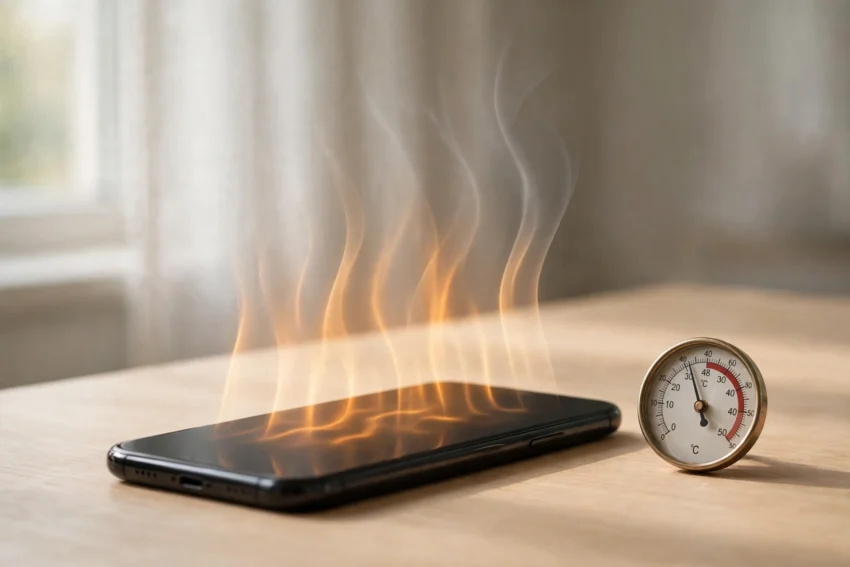
A phone that feels hot in your hand is something almost everyone has dealt with. It usually happens at the worst moment: in the middle of a video call, during a long gaming session, or while your phone is charging on a summer afternoon. A warm phone is normal, but a phone that stays hot, slows down, or shows a temperature warning needs attention.
The good news is that most overheating has a simple cause, and most of it can be fixed in a few minutes without any repair shop visit. This guide explains why phones heat up and shares 12 practical fixes that work on both Android and iPhone.
Why Your Phone Gets Hot in the First Place
Every smartphone is a small computer. Its processor, battery, screen and radios all create heat when they work hard, and unlike a laptop, a phone has no fan to blow that heat away. It relies on its metal or glass body to spread the warmth out, which is why the back of the phone is the first place you feel it.
A phone usually heats up when several demanding things happen at once. Playing a graphics-heavy game while the screen brightness is at maximum, recording a 4K video in direct sunlight, or downloading a large update over a weak mobile signal all push the processor and the battery hard. Charging adds heat too, especially fast charging, because energy is moving into the battery quickly.
Short bursts of warmth during heavy use are expected. What matters is whether the phone cools down again within a few minutes of stopping the task. If it stays hot while doing nothing, or if it gets hot every single day, something is draining it in the background and it is worth investigating.
12 Fixes That Actually Work
Work through these in order. For most people, the first four or five are enough to solve the problem completely.
1. Close the apps running in the background
Apps left running in the background keep using the processor, the network and sometimes the GPS. Social media apps, maps and games are the usual culprits. Swipe them away from the recent-apps view, and check your battery settings to see which apps have been using the most power in the last 24 hours. An app you barely opened should not be near the top of that list.
2. Turn down the screen brightness
The screen is one of the biggest sources of heat in a phone, especially outdoors where the brightness climbs to its maximum automatically. Lowering the brightness by a third makes a real difference, and switching on adaptive brightness lets the phone manage it for you. If you are indoors, there is rarely any reason to keep the slider at full.
3. Take the case off while it cools down
A thick case, especially a heavy-duty or leather one, traps heat around the phone like a blanket. If your phone is hot, take the case off for ten or fifteen minutes and let the air reach the body. Some people also notice their phone runs cooler with a slim case day to day, because the heat can escape more easily.
4. Stop charging while you play or stream
Charging and heavy use at the same time is one of the fastest ways to heat a phone. The battery warms up as it charges, and the processor warms up as it runs the game or video. Put the phone down while it charges, or at least pause the game for a while. If you must use it while plugged in, keep the task light, such as reading or messaging.
5. Switch off 5G when you do not need it
5G is fast, but the 5G radio uses more power than 4G, and in areas with a weak 5G signal the phone works even harder as it keeps searching for a connection. If you are on Wi-Fi at home or in the office, switching the mobile data mode to 4G or LTE can cut heat noticeably. Most phones let you do this from the mobile network settings, and you can switch 5G back on whenever you actually need the speed.
6. Update your apps and your phone’s software
Software updates often include fixes for bugs that make the processor work overtime. A single app with a faulty update can keep a phone busy for hours. Check for pending app updates in your app store, and install system updates when they arrive. If the heating started right after an update, that update is the first thing to suspect, and a later patch usually fixes it.
7. Keep your phone out of direct sunlight and hot cars
Sunlight is an external heat source your phone cannot fight. A phone left on a car dashboard or a sunny windowsill can heat up in minutes, and in hot weather it can cross the temperature limit even while sitting idle. Keep it in the shade, in a pocket or in a bag, and never leave it in a parked car. On a beach day, wrap it in a light cloth inside your bag rather than leaving it on a towel in the sun.
8. Turn off Bluetooth, GPS and hotspot when you are not using them
Bluetooth, location services and a mobile hotspot all keep radios active in the background. They are useful, but leaving them on all day adds steady heat and drains the battery. Turn them off from the quick settings panel when you do not need them. Location in particular is worth checking: some apps request your location constantly, and limiting them to “only while using the app” helps a lot.
9. Restart your phone once a week
A simple restart clears stuck processes, frees up memory and stops runaway background tasks that quietly heat the phone. It takes less than two minutes, and doing it once a week is one of the easiest habits for keeping a phone running cool. If your phone feels hot for no clear reason, a restart is always a sensible first step.
10. Clear the cache and delete apps you never use
Over time, cached files pile up and some apps become bloated, which makes the processor work harder every time they open. Clearing the cache for heavy apps such as browsers and social media gives the phone some breathing room. You can also remove apps you have not opened in months; fewer apps means fewer background tasks competing for resources. If you want a step-by-step walkthrough, see our guide on how to clear cache on Android and iPhone in 2026.
11. Use the original charger and cable
Cheap or uncertified chargers can deliver unstable power, and that often shows up as extra heat during charging. Stick to the charger that came with your phone or a reputable brand, and replace cables that are frayed or damaged. Wireless charging also generates more heat than a cable, so if your phone runs hot on a wireless pad, try a wired charger instead and see if it stays cooler.
12. Turn on battery saver or low power mode
Battery saver mode limits background activity, lowers the screen refresh rate and reduces the processor’s top speed. It is designed to extend battery life, but it also cuts heat directly, because the phone simply does less work. Turn it on during long gaming sessions, on hot days, or whenever your phone starts feeling warm. Our guide on how to make your Android battery last longer explains more settings that reduce both heat and battery drain.
What NOT to Do When Your Phone Overheats
When a phone is hot, the temptation is to cool it down as fast as possible, but some popular tricks cause real damage. Never put your phone in the fridge or freezer. The sudden cold can create condensation inside the phone, and moisture on the circuit board is far worse than heat. Never run cold water over it either, even if the phone is water resistant, because the seals are not designed for sudden temperature changes.
Do not keep using it heavily and hope the problem goes away. If your phone shows a temperature warning, stop what you are doing, close the apps, unplug it from the charger and set it down in a cool, shaded spot. Give it ten to fifteen minutes. A phone that cools down on its own is almost always fine.
When Overheating Means Something Is Wrong
Most overheating is caused by habits and settings, but a few signs point to a hardware problem that needs a professional. Get the phone checked if the battery looks swollen, the back panel is lifting away from the frame, or the phone gets hot while switched off or while doing nothing at all. A battery that drains from full to empty in a couple of hours without heavy use is another warning sign.
A phone that shuts itself down repeatedly because of heat, or one that refuses to charge past a certain point, should also be looked at by an authorised service centre. These are rare, but ignoring them can damage the battery or the phone itself. Never try to open a sealed phone battery yourself.
Frequently Asked Questions
Is it normal for a phone to get hot while charging?
A little warmth during charging is normal, especially with fast charging. It should feel warm, not uncomfortable to hold. If the phone becomes very hot every time you charge it, try a different charger and cable, charge it without a case, and avoid using it heavily while it is plugged in.
Does gaming always make a phone overheat?
Gaming pushes the processor and graphics chip hard, so some warmth is expected. Short sessions are fine. If the phone gets very hot within a few minutes, lower the screen brightness, close other apps first, and take a short break between matches. A phone that stays hot long after you stop playing may have a background app adding to the load.
Can overheating damage my phone permanently?
Occasional warmth will not harm a modern phone, because the system slows itself down or shuts off to protect the hardware. Repeated overheating over months, however, wears the battery out faster and can shorten its life. Keeping the phone cool is really about protecting the battery in the long run.
Why does my phone get hot when I am not using it?
A phone that heats up while idle usually has an app misbehaving in the background, a weak signal forcing the radio to work hard, or a stuck system process. Restart the phone, check which apps used the most battery recently, and update anything that looks out of date. If the problem continues after a restart, a factory reset after a full backup is worth considering, or have the battery checked.
Should I use a cooling fan or a cooling app for my phone?
Clip-on cooling fans can help during long gaming sessions, and they are harmless if they do not block the vents. Cooling apps, on the other hand, mostly do nothing useful: they cannot lower the temperature of the hardware, and some of them run constantly in the background and add to the problem they claim to solve. The fixes in this guide do far more than any cooling app.
Conclusion
A hot phone is usually telling you something simple: too many apps, too much brightness, a charger working hard, or a sunny spot you did not notice. The fixes above cost nothing and take only a few minutes, and for most people they solve the problem completely.
Start with the easy ones: close background apps, lower the brightness, and give the phone a break while it charges. If your phone still runs hot after trying these steps, check the battery health and get it looked at by a professional. Keeping your phone cool is one of the simplest ways to keep it fast and to make its battery last longer.
If your phone also feels slow, our guide on how to speed up a slow Android phone in 2026 covers the cleanup steps that help with both heat and performance.